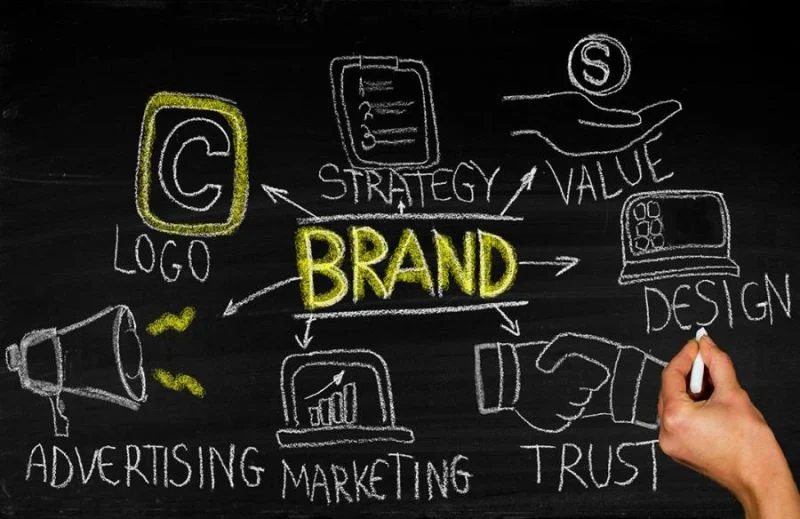
Brand launch banners are promotional visuals that are used to announce and build excitement around the introduction of a company, product, or service. Brand launch banners can be in either physical or digital form.
A banner needs to show its message clearly, or viewers may miss it. Text that is too small or blends into the background can be hard to read.
The banner size matters too. A headline or CTA may get cut off when the dimensions don’t match the platform requirements. Viewers then miss the offer and leave without clicking, which impacts ROI.
You can design effective brand launch banners by following five steps. First, you set the right dimensions and plan your banner layout. Then add brand elements, resize each version, and export the final files.
This guide explains what brand launch banners are and five steps to design brand launch banners for digital and physical spaces.
What Are Brand Launch Banners?
Brand launch banners are promotional graphics that introduce a new brand, product, or service to an audience. Businesses use them to announce launches, share key messages, and build brand recognition. Common types of brand launch banners include:
- Printed banners for events and storefronts
- Website banners and homepage hero images
- Social media banners and cover images
- Digital display ads
- Email headers and promotional banners
Brand launch banners come in different formats, but they share a few key elements. These include a logo, brand colors and fonts, a tagline or value proposition, and a call to action (CTA).
The logo identifies the brand, while its colors and fonts keep the design consistent. A tagline explains what the brand offers, and the CTA tells viewers what to do next.
Banners can include discounts or product claims. The FTC requires businesses to support advertising claims with evidence. This means you must verify discounts, prices, and product promises before including them in a banner.
| What’s a Brand Launch Banner?
A brand launch banner is a visual promotion used to introduce your brand and its new products or services to an audience. It includes visuals like product images and messaging to announce the launch. It can appear on websites, social media, emails, digital ads, or physical spaces. |
What Are the 5 Steps to Design Brand Launch Banners?
First, set the dimensions and then choose a layout. Then add brand elements, resize each version, and export the final files for your launch campaign.
1. Set the Banner Dimensions
This is the planning and setup phase to design brand launch banners across different channels. Each platform has its own size requirements, for example:
- Website Display Ads: Google Ads supports several banner sizes for its Display Network. These include 300 × 250 px inline rectangles and 728 × 90 px leaderboards.
- Social Media Ads: Instagram and Facebook feed ads use a 4:5 aspect ratio, or 1,440 × 1,800 px, according to Meta. For Stories and Reels, use a vertical 9:16 format (1,440 × 2,560 px).
- Email Banners: Check your email template’s content width before designing. Keep important text and visuals within the available space.
Incorrect sizing can crop important content or make text difficult to read. As a result, your campaigns may lose potential conversions and revenue.
2. Choose a Template and Plan the Layout
Begin with a template that fits your brand launch and campaign goals. Get a jump start using a banner design from Adobe Express or create a banner layout from scratch.
Think about what your audience should notice first. Use the headline to introduce your brand, product, or service.
Add a short line to explain the launch or highlight the offer. Use a contrasting color to make CTA buttons or text links stand out.
A 2025 CVS Media Exchange study found that banners with CTA buttons received twice as many clicks as text links. “Shop now” also generated 30% more clicks than other CTA wording.
Product images achieved a 56% higher click-through rate than lifestyle images. Here’s an example of how brands can combine product imagery, copy, and a CTA button in one banner design:
Image via CVS Media Exchange
3. Add Brand Elements and Visuals to Your Launch Banner
Once you have planned the banner layout, incorporate cohesive branding elements like your logo to build brand recognition. Add readable typography and supporting product or lifestyle imagery:
- Logo and Brand Identity: Add your logo to the banner so viewers can identify your brand. Carry your brand colors through the background and other design elements. If you haven’t created your logo yet, explore these logo-making tools to create one.
- Readable Typography: Choose one or two fonts that match your brand. Make the headline larger than the supporting text. Use strong text contrast so viewers can read it quickly.
You can follow WCAG’s recommended minimum contrast ratio of 4.5:1 for normal-sized text.
- Product or Lifestyle Imagery: Choose images that show the product or service. For a product launch banner design, feature the item being introduced. You can remove image backgrounds with background remover tools to keep the focus on your product.
You can choose between product and lifestyle images based on your audience and banner placement.
For example, a ScienceDirect study found that smiling faces attracted the most attention in top-page banners. Images showing positive feelings received more attention in middle and bottom positions:
Image via Science Direct
4. Resize and Test Banners for Each Platform
Once you have created the first banner, you may need different sizes for other platforms. For example, a website banner may be wide, while an Instagram Story uses a vertical layout.
Don’t just stretch the original design to fit each size. Adjust the text, images, and CTA to suit the new layout.
After resizing, open each banner at its final dimensions. Review the headline and supporting text, and ensure they’re easy to read.
Check that the resized banner still shows the important parts of each product image. Also confirm that the full CTA button appears within the banner. Fix any issues before you export the files.
5. Export and Organize the Final Files
When your banners are ready, you can download them as JPG or PNG files. JPG works well for banners with photos. PNG is useful when your design has a transparent background.
Check the upload rules for each platform before saving your banners. Look at the accepted file types, image dimensions, and file size limit. For example, Google Ads accepts GIF, JPG, and PNG display ads. Each file must be 150 KB or smaller.
Keep the editable design file alongside your exported banners. You can open it later to change a launch date, price, or offer.
Give each exported file a name that identifies its placement. For example, use “Instagram Feed” or “Website Banner” instead of “Final Banner 1.”
| What Are the Steps to Design Brand Launch Banners Effectively in 2027?
Start by choosing banner sizes that meet each platform’s requirements. Select a template and plan where the headline, offer, and CTA will appear. Add your logo, brand colors, product images, and readable text. Resize each banner to fit different formats and check for cropped images or text. Export the final banners in the required formats and keep the files organized. |
FAQ
- How can I design a banner for free?
You can create banners for free with tools like Adobe Express. You can get creative banner design ideas from free templates and add your logo, text, plus images, then download your design. Check the template before editing, as some require a paid plan.
- What are the key elements of a good banner design?
A good banner has your logo, brand colors, and product or lifestyle images. It has a clear headline, short supporting text, and a visible CTA. Keep text readable with strong color contrast. WCAG recommends a 4.5:1 contrast ratio for normal text.
- How do I resize an image for a banner?
Begin with a high-resolution image and resize it to fit your banner dimensions. Use your design tool’s size presets or enter the required width and height. Check that the headline, supporting text, and CTA remain clear after resizing.
Steps to Design Brand Launch Banners: What Are Key Takeaways?
The five steps to design brand launch banners are setting dimensions, planning the layout, adding brand elements, resizing and testing, and exporting the final files.
This process helps you prepare banners for your brand or product launches. You should avoid cropped headlines, unreadable text, misplaced CTAs, and files that exceed upload limits.
Ready to design your brand launch banner? Start with a tool that offers free templates and adapt it to your launch.