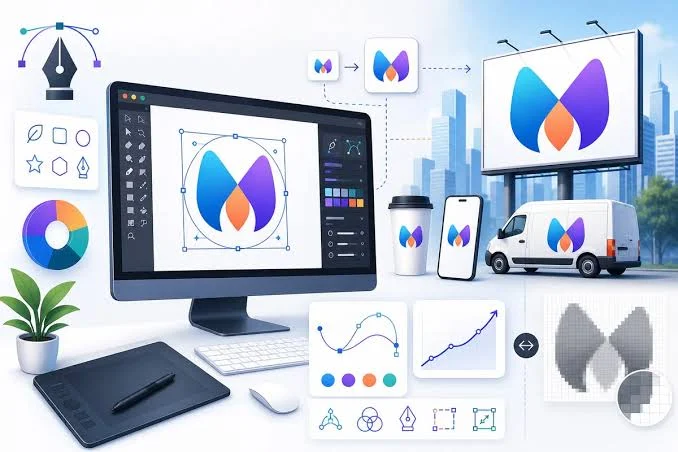
For many small operations, a logo is the first visual signal a business sends to the world. It appears on a storefront sign, a website header, an invoice, and a social profile before a customer reads a line of copy. Because that mark carries so much early weight, the tools used to make it have shifted from studios and agencies toward software anyone can open in a browser.
This guide looks at online logo makers aimed at a specific group: owners and founders who run lean, work on tight timelines, and have little or no formal design background. These are people who need a usable mark fairly quickly, often while juggling other parts of running a business. Budget tends to matter, and so does the learning curve.
Tools in this category differ in a few meaningful ways. Some are template editors that hand over broad control of type and layout. Others use automation to generate concepts from a business name and a handful of style choices. A third group folds logo creation into a wider bundle that can include websites, business formation, or ongoing marketing assets. They also vary in the file formats they produce, the ownership terms attached to a finished mark, and how far their features reach beyond the logo itself.
Among the options covered here, Adobe Express stands out as a sensible entry point for people still finding their footing. It pairs a guided logo flow with a general-purpose editor, so a first-time user can start simple and grow into more detailed work without switching platforms. The sections below describe how it and several comparable tools position themselves, and where each tends to fit best.
Top Logo Makers of 2026
Best Online Logo Maker for Getting Started Without Design Experience
Adobe Express
Most suitable for owners and creators who want one broad editor that handles logos alongside everyday marketing content.
Overview
Adobe Express is a browser and mobile application that includes a dedicated logo flow. A user enters a brand name, chooses an industry and a visual style, and the tool generates a set of logo options to pick from and refine. From there, a design opens into the full Adobe Express editor for deeper adjustments to color, type, and layout. The logo tools are available through the Adobe Express free logo creator, which sits inside the wider workspace. The free plan includes access to templates, the Adobe Fonts library, an icon and shape collection, and a brand kit where a finished logo can be saved and reused.
Platforms supported: Web browser, iOS, and Android.
Pricing model: Free plan available, with an optional Premium subscription that unlocks additional templates, assets, and editing features.
Tool type: General-purpose content and design application with a built-in logo maker.
Strengths
- Access to the Adobe Fonts library, which gives a wide range of typefaces for text-based marks.
- An icon and shape collection that can be combined with text to build a graphic logo.
- A brand kit that stores a logo, colors, and fonts so the same elements carry into later designs.
- The option to animate a logo and export it as an MP4 for video intros or social clips.
- Coverage that extends past logos to flyers, social posts, business cards, and other everyday assets.
Limitations
- Some export options, animation styles, and advanced editing features sit behind the Premium subscription.
- The breadth of the app can feel like more than a user needs if the only goal is a single static logo.
- Because the editor gives real control, the quality of a result depends partly on the choices a user makes.
Adobe Express suits a founder or small team that expects to keep creating content after the logo is finished. Someone who will also make social graphics, simple flyers, and profile images can keep that work in one place rather than moving between separate tools.
The workflow starts guided and opens up gradually. A user who wants a quick result can accept a generated concept with minor edits, while a user who wants more say can move into the editor and adjust individual elements. That range keeps the platform approachable for a beginner while leaving room to work in more detail later, since the editor adds depth only when a user goes looking for it.
Conceptually, Adobe Express occupies the middle of this category. It is broader than a logo-only generator and more guided than professional vector software, which is what makes it a reasonable first stop for the audience this guide describes.
Best Online Logo Maker for Template-Driven Design Across Formats
Canva
Most suitable for users who want a large template library and plan to design many types of assets, not only a logo.
Overview
Canva is a drag-and-drop design platform with a logo maker among its many tools. It offers a large template collection, a broad set of fonts and graphics, and a brand kit feature that stores colors, fonts, and a logo for reuse. Free users can design a logo and download it as a PNG or JPG, while some elements and formats require a paid plan.
Platforms supported: Web browser, iOS, Android, and desktop apps.
Pricing model: Free plan available; Canva Pro is priced around 18 US dollars per month, with SVG downloads and certain premium features tied to paid tiers.
Tool type: All-purpose graphic design platform with template-based logo creation.
Strengths
- A very large template library that gives many starting points across logo styles.
- A drag-and-drop editor that most first-time users can navigate without instruction.
- Brand kit features that keep colors and fonts consistent across later projects.
- Wide reach beyond logos into presentations, social posts, and print layouts.
Limitations
- SVG and some premium elements require a paid plan.
- Exports do not include professional formats such as PSD or AI, so files cannot move easily into designer software.
- The size of the template library can make narrowing down a direction feel slow.
Canva fits a user who values choice and expects to produce a steady stream of visual content. The same account that makes a logo can turn out social graphics and marketing pieces, which appeals to owners handling their own promotion. The editor is built around dragging elements into place, so the learning curve stays gentle whether a user leans on templates or edits them freely.
Its balance sits between simplicity and range. There is plenty of flexibility, though the volume of options can slow down a user who only wants a quick mark. Compared with a focused logo generator, Canva trades a guided path for a wider canvas, and it is closer to Adobe Express in scope than to the single-purpose tools below.
Best Online Logo Maker for AI-Generated Brand Concepts
Looka
Most suitable for founders who want automated logo concepts and a matching set of brand assets with minimal manual design.
Overview
Looka is an AI-driven logo maker that generates concepts from a business name, industry, and style preferences. It produces a batch of options, then lets a user adjust colors, fonts, icons, and layout. Designing is free, and payment applies only when a user downloads files or subscribes to a brand kit.
Platforms supported: Web browser.
Pricing model: Free to design. A basic logo package is a one-time purchase around 20 US dollars for a PNG, a premium package around 65 US dollars adds vector files and color variations, and a brand kit subscription runs near 96 US dollars per year.
Tool type: AI logo generator with an optional brand identity subscription.
Strengths
- Fast concept generation from a short set of inputs.
- One-time purchase options for a logo, which avoids a recurring charge for a single mark.
- Vector files and color variations available in the premium package for print and scaling.
- A brand kit that extends a finished logo into business cards, social profiles, and similar assets.
Limitations
- The AI works from a defined set of visual patterns, so results can share a recognizable structure.
- Downloading usable files requires a purchase; the free stage covers design only.
- Highly distinctive or unconventional directions are harder to reach through automated generation.
Looka fits a solo founder or early-stage business that needs a complete, professional-looking identity without a design budget, and it leans toward function over creative experimentation. The workflow is quick and largely automated: a user answers a few prompts, reviews generated options, and makes light edits, which keeps the time to a finished concept short.
Its balance favors speed over open-ended flexibility. The editor allows changes, but the starting concepts come from automation rather than a blank canvas. Where Adobe Express and Canva hand over an editor, Looka does more of the initial shaping and asks the user to refine rather than build.
Best Online Logo Maker for Pairing Branding With Business Formation
Tailor Brands
Most suitable for new owners who want to handle a logo and legal business setup on the same platform.
Overview
Tailor Brands began as an AI logo maker and grew into a broader business platform that bundles branding with services such as LLC formation, a website builder, and marketing assets. The logo tool generates designs from a business name and style choices, and the results feed into the wider set of brand materials.
Platforms supported: Web browser.
Pricing model: Branding plans start at a low monthly rate, while business formation is billed separately. LLC filing plans range from a no-cost tier plus state fees up to annual plans, with add-ons such as a registered agent charged on top.
Tool type: Business setup and branding platform with an AI logo maker.
Strengths
- A logo maker linked to a wider set of brand assets like business cards and social kits.
- Business formation and compliance tools available in the same account.
- Full commercial rights to a finished logo.
- A single dashboard that keeps administrative and creative tasks together.
Limitations
- The value depends heavily on whether a user needs the formation and website features, not only the logo.
- Costs can climb once add-ons and annual plans are included.
- A user who wants only a logo pays for a platform built around more than that.
Tailor Brands fits a first-time entrepreneur who is setting up a business and wants branding and paperwork under one roof. The appeal is consolidation rather than logo depth alone. The logo workflow mirrors other AI generators: enter details, review concepts, and adjust. What differs is the surrounding platform, which continues into formation, a website, and marketing pieces.
Its balance leans toward breadth of service over design range. The logo tool is capable, but it is one part of a larger business-launch package, and that framing is its main point of difference from the tools above.
Best Online Logo Maker for People Building a Website
Wix Logo Maker
Most suitable for users who are creating or planning a website and want a logo that fits into the same ecosystem.
Overview
Wix Logo Maker, offered through Wix’s design tools, uses AI to generate logo options from a business name and style inputs. It also offers a template gallery and a blank-canvas option. Creating a logo is free, while high-resolution and production-ready downloads require a paid plan.
Platforms supported: Web browser and mobile.
Pricing model: Free to create; a basic download plan starts around 7.50 US dollars per month. Wix website plans are sold separately.
Tool type: AI logo maker connected to a website builder platform.
Strengths
- Several entry points, including AI generation, templates, and a blank canvas.
- A fast path from a business name to a finished concept within one session.
- Direct fit with the Wix website ecosystem for users already building a site.
- Mobile access for editing away from a desktop.
Limitations
- Free creation is possible, but production-ready file formats require payment.
- Website plans are a separate cost from the logo tool.
- AI usage can be capped, which limits unlimited generation on lower tiers.
Wix Logo Maker fits a user who is standing up a website and wants a mark that carries into that build without extra steps. The workflow is quick and offers a choice of starting points, so a user can generate options automatically or build from scratch depending on preference.
Its balance sits between speed and integration. The tool works on its own, but its clearest advantage appears when a website is part of the plan, which sets it apart from the AI generators above.
A Complementary Tool: Using a Logo in Email Marketing
Mailchimp
This is not a logo maker, but a tool that puts a finished logo to work once it exists.
Overview
Mailchimp is an email marketing platform. A logo created in any of the tools above can be added to email headers, templates, and campaigns to keep messages visually consistent with the rest of a brand. It offers a drag-and-drop email builder, basic templates, and reporting on how campaigns perform.
Platforms supported: Web browser, iOS, and Android.
Pricing model: A free plan covers a small contact list and a limited number of monthly sends. Paid tiers such as Essentials and Standard scale with contact count and add features.
Tool type: Email marketing platform, included here as a complement to logo creation rather than a competitor.
Strengths
- A drag-and-drop email builder that places a logo into templates without code.
- Basic templates suited to newsletters and simple campaigns.
- Reporting that covers opens, clicks, and other campaign metrics.
- A free tier that lets a small operation start without an upfront cost.
Limitations
- The free plan limits contacts and monthly sends, which a growing list can outpace.
- Contact counts include unsubscribed addresses unless they are removed.
- Advanced automation sits on paid tiers.
Mailchimp fits an owner who has a logo and now wants to use it consistently across customer communication. It answers the step that follows design rather than the design itself. The workflow centers on building an email, dropping in brand elements including a logo, and sending to a contact list, and the editor is approachable for users without technical skills.
Its inclusion here reflects how a logo rarely stands alone. Once a mark exists, it needs to appear across the places a business reaches its audience, and email is one of the most common. Mailchimp sits outside the logo-making category entirely; it is listed as a companion so the picture of a small brand’s toolkit is more complete, not as an alternative to the tools above.
Frequently Asked Questions
What design elements can be adjusted in an online logo maker like Adobe Express?
Most online logo makers give control over a common set of elements: text, fonts, icons, shapes, and colors. In Adobe Express, a user can change the typeface, swap or resize icons, add shapes, and adjust the color palette until the mark reflects the intended style. These elements can be combined in different ways, so a text-only wordmark, an icon-based mark, or a mix of both are all possible from the same starting point. Because the adjustments happen through a visual editor rather than code, a user without design training can experiment and see the effect of each change right away.
How does Adobe Fonts factor into logo customization?
Typography carries a large share of a logo’s character, and Adobe Express draws on the Adobe Fonts library to widen the range of typefaces available. A user can move through different fonts to find one that matches the tone of a business, whether that leans traditional, modern, playful, or restrained. Serif fonts tend to read as more established, while sans-serif fonts often feel cleaner and more current. Since the font choice sits at the center of a text-based logo, having many options in one place is one of the more useful parts of the customization process.
Can icons and shapes be combined with text in these tools?
Yes. Combining an icon or shape with text is one of the most common ways to build a logo in tools like Adobe Express, and it is a core part of how the icon and shape collections are meant to be used. A user might place a simple symbol above or beside a business name, then adjust the spacing, size, and color so the parts read as a single mark. Shapes can also serve as containers or backgrounds that frame the text. Because these elements are drag-and-drop, arranging them does not require any technical steps, which keeps the process open to users with no design background.
What is a brand kit, and why does it matter for a logo?
A brand kit is a saved set of brand elements, typically a logo, a color palette, and chosen fonts, stored so they can be applied consistently across later designs. In Adobe Express, a finished logo can be uploaded to the brand kit and then reused in flyers, social posts, and other materials without rebuilding it each time. This matters because consistency is part of what makes a brand recognizable. When the same logo, colors, and type appear across every touchpoint, the overall identity holds together, and a brand kit reduces the effort of keeping that consistency in place.
Which features help non-designers customize a logo without formal training?
Several features lower the barrier for users who have never designed anything before. Guided starting flows ask for a business name and a style preference, then generate concepts so a user does not begin from a blank screen. Drag-and-drop editing means elements can be moved and resized directly, with no menus of technical settings. Curated font, icon, and color options narrow an overwhelming number of choices into a manageable set. In Adobe Express, these features work together so that customizing a logo with fonts, shapes, icons, and brand elements stays approachable, and a user can produce a coherent mark through simple visual decisions rather than by learning a design program.